How to block food delivery apps while you fast
Updated
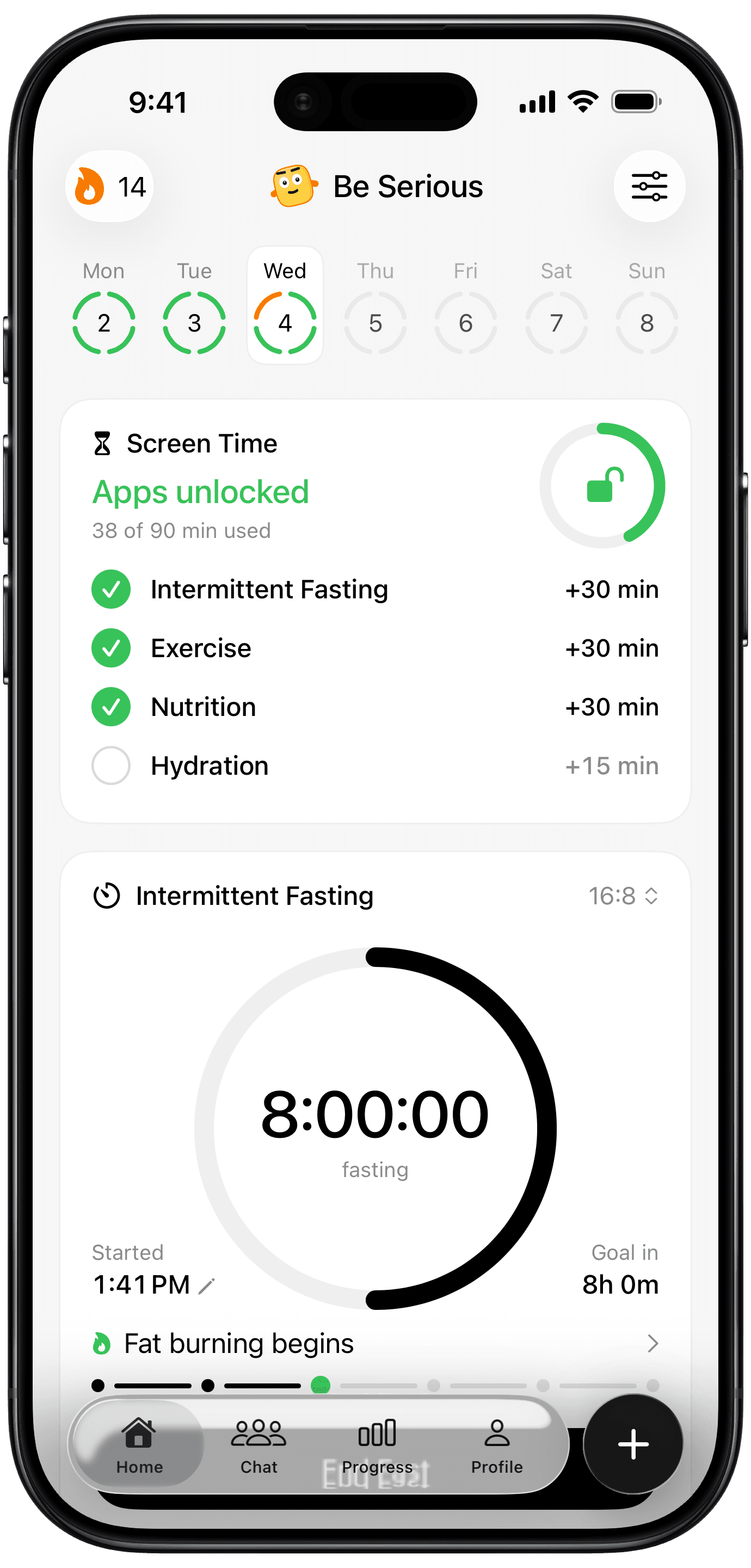
Late in a fast, ordering dinner takes three taps and no willpower at all. iPhone can't tell when you're fasting, so its app limits can't help. Be Serious can: it locks your food delivery apps for as long as a fast is running.
How the food lock works
- You choose your food delivery apps separately from your other locked apps.
- While a fast is running, they're locked. Earned screen time doesn't open them: your minutes buy social apps, never a delivery order mid-fast.
- End the fast in Be Serious and they unlock straight away.
- If you track nutrition too, they also lock once you've gone over your calorie budget for the day, and reopen at midnight.
The lock screen says why: "You're fasting. This can wait."
Set it up
- In Be Serious, turn on fasting as a habit, and nutrition too if you want the over-budget lock.
- Allow Screen Time access.
- Go to Profile > Earn Screen Time > Food Delivery Apps and pick DoorDash, Uber Eats, Grubhub or wherever you order from.
- Start a fast. The delivery apps stay locked until you end it.
Details worth knowing
- The food lock follows your fasting habit. Switch fasting off and the lock goes with it.
- Ending a fast is always your call, and the apps unlock the moment you do. The lock makes ordering a decision, not a reflex.
- A fast that reaches its target also earns 30 minutes in your other locked apps.
Doing it without an app
iPhone alone can't tie a lock to your fast. The nearest native option is a 1-minute app limit on delivery apps, with a Screen Time passcode someone else holds. That blocks them all day, fasting or not. Moving the apps off your Home Screen and turning off their notifications helps too. The full set of native options is in how to stop overriding your iPhone app limits.